Hyperrealistic AI Fashion Photoshoot Prompt for Streetwear
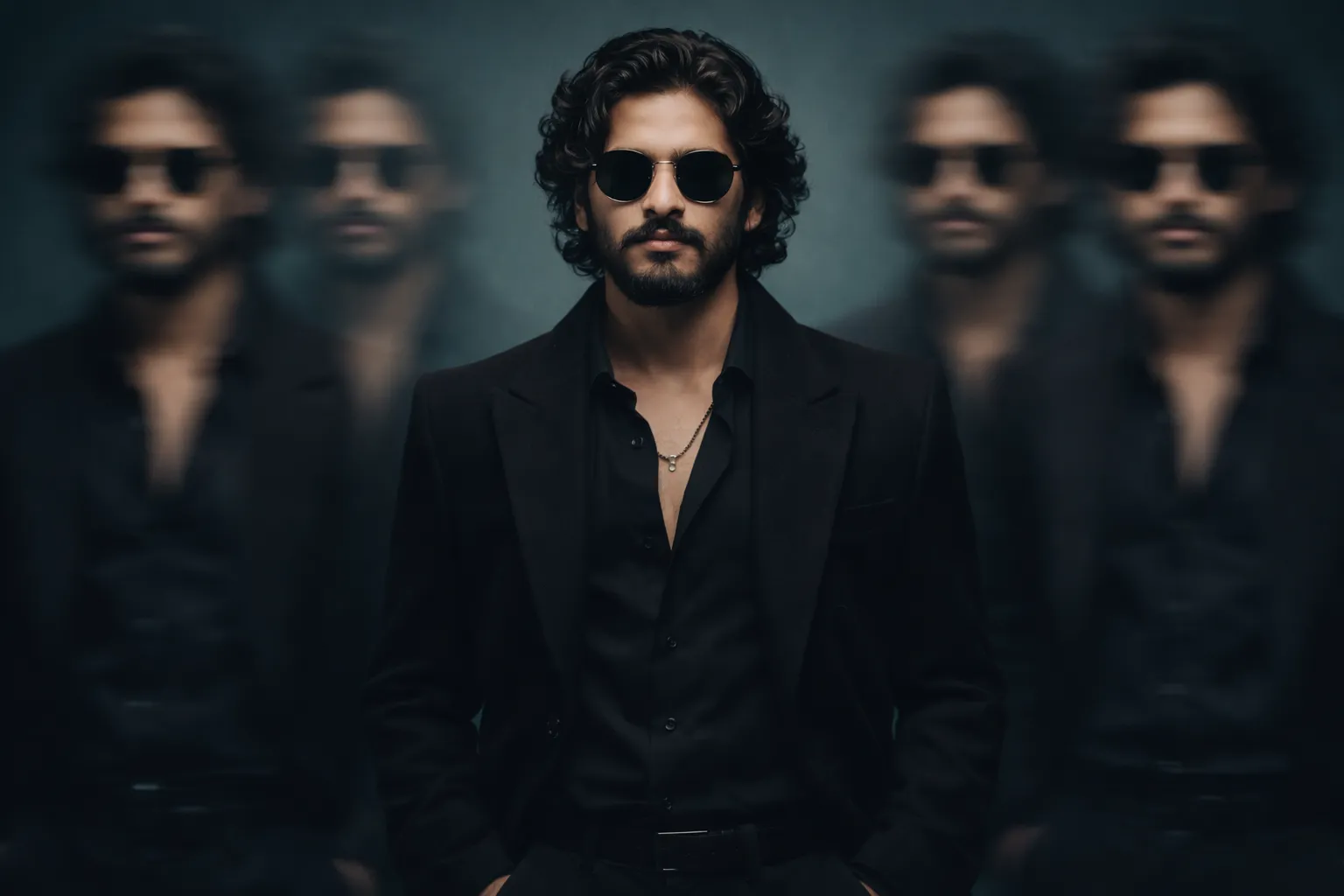
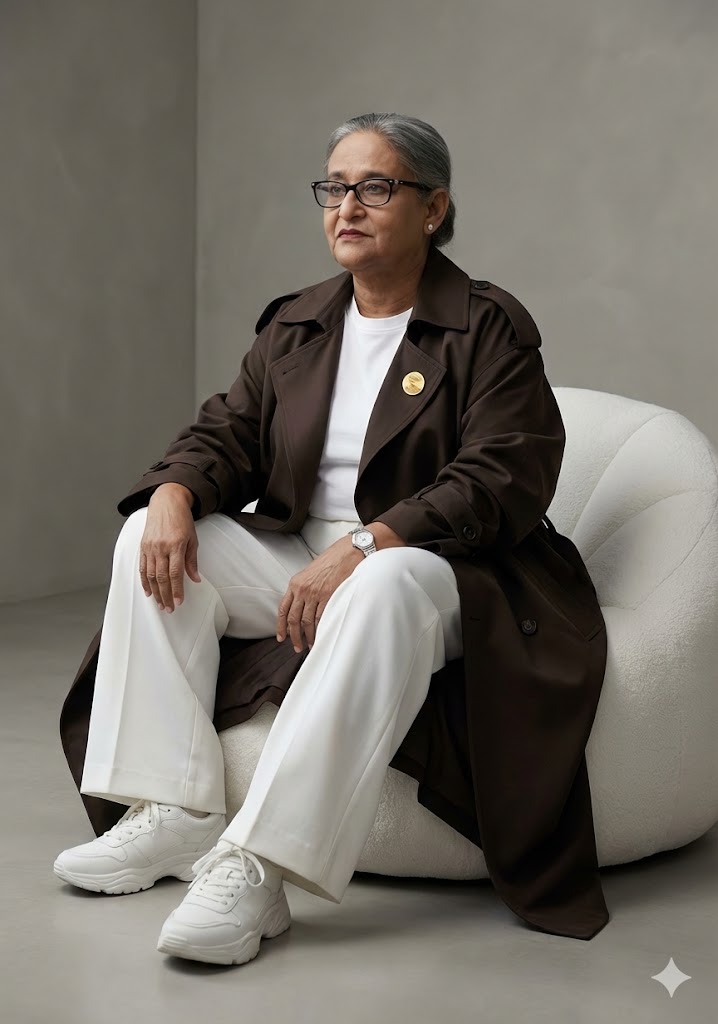
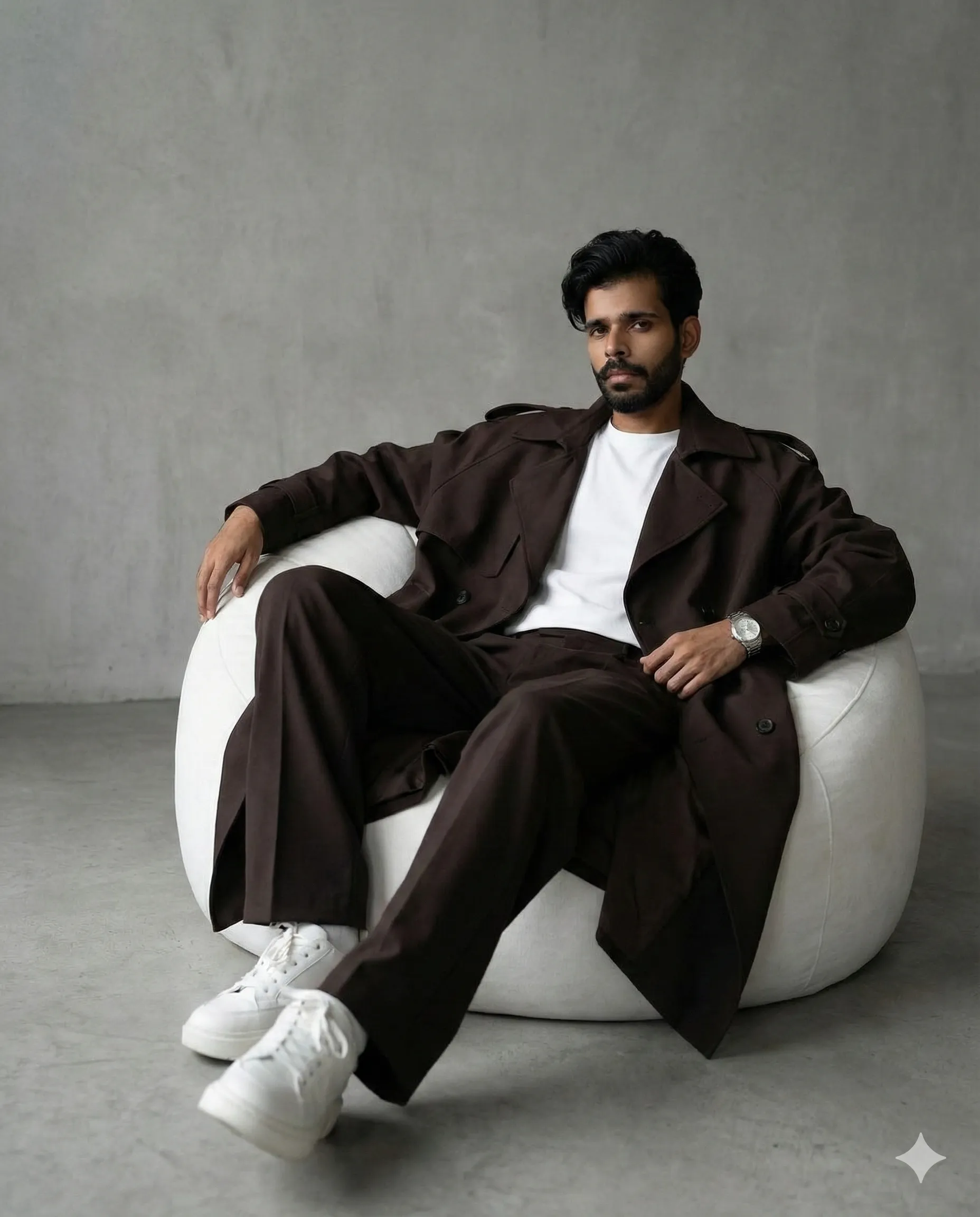
An AI prompt to create realistic cinematic fashion photos of a person in bold, dark chocolate streetwear, seated casually on a white bean bag against a minimal grey background.
Generated Images
The Prompt
Hyper-realistic cinematic fashion photoshoot of me same to same from uploaded image . i has the same physique. Seated casually on a deep white bean bag, i wears bold all-dark chocolate oversized streetwear: a stylish trench coat over a clean white inner t-shirt, wide white pants, chunky sneakers, and a silver watch. The background is minimal with an aesthetic grey tone.
How to Use
1. Copy the prompt text. 2. Paste it into your AI image generator (like Midjourney, DALL-E, or Stable Diffusion). 3. For best results, use an image of yourself as a reference if the tool allows. 4. Generate the image. You can tweak words like 'dark chocolate' or 'grey tone' to change the colors.
Prompt Variations
1. 1. Golden Hour Glow
This variation is perfect for creating a warm, inviting editorial look. It shifts the lighting to a soft, cinematic golden hour glow, adding a luxurious and dreamy atmosphere while keeping the subject and outfit identical.
Hyper-realistic cinematic fashion photoshoot of me same to same from uploaded image. I have the same physique. Seated casually on a deep white bean bag, I wear bold all-dark chocolate oversized streetwear: a stylish trench coat over a clean white inner t-shirt, wide white pants, chunky sneakers, and a silver watch. The background is minimal with an aesthetic grey tone. Lighting is soft, warm, and cinematic, mimicking the golden hour glow. Volumetric light rays filter through a nearby window, casting soft shadows and highlights.
2. 2. Urban Nightscape
Designed for a gritty, modern aesthetic, this version transports the scene to a city rooftop at night. The color grading is cool and moody, with the city lights providing a bokeh-rich background.
Hyper-realistic cinematic fashion photoshoot of me same to same from uploaded image. I have the same physique. Seated casually on a deep white bean bag, I wear bold all-dark chocolate oversized streetwear: a stylish trench coat over a clean white inner t-shirt, wide white pants, chunky sneakers, and a silver watch. The setting is an urban rooftop at night. The background is a blurred cityscape with bokeh lights, creating a moody, cinematic atmosphere with cool-toned, dramatic lighting.
3. 3. High-Contrast Studio
Ideal for a bold, high-fashion editorial, this variation uses stark, directional studio lighting. It creates dramatic shadows and intense highlights, emphasizing the texture of the outfit and the subject's physique.
Hyper-realistic fashion photoshoot of me same to same from uploaded image. I have the same physique. Seated casually on a deep white bean bag, I wear bold all-dark chocolate oversized streetwear: a stylish trench coat over a clean white inner t-shirt, wide white pants, chunky sneakers, and a silver watch. The background is a seamless grey cyc wall. Lighting is high-contrast and dramatic, with a single, hard key light from the side creating deep, sharp shadows.
4. 4. Soft & Ethereal
Best for a softer, more artistic look. This variation introduces a soft-focus, dreamy quality with pastel color grading, making the streetwear feel lighter and more avant-garde.
Hyper-realistic fashion photoshoot of me same to same from uploaded image. I have the same physique. Seated casually on a deep white bean bag, I wear bold all-dark chocolate oversized streetwear: a stylish trench coat over a clean white inner t-shirt, wide white pants, chunky sneakers, and a silver watch. The background is minimal with an aesthetic grey tone. The image has a soft-focus, ethereal quality with pastel color grading and diffused, flattering lighting that reduces harsh shadows.
5. 5. Wide-Angle Environmental
This variation pulls the camera back to a wide-angle shot, placing the subject in a larger, minimalist architectural space. It emphasizes the scale of the room and the subject's solitary presence within it.
Hyper-realistic cinematic fashion photoshoot of me same to same from uploaded image. I have the same physique. Seated casually on a deep white bean bag, I wear bold all-dark chocolate oversized streetwear: a stylish trench coat over a clean white inner t-shirt, wide white pants, chunky sneakers, and a silver watch. The setting is a vast, minimalist loft with concrete floors and large windows. Shot with a wide-angle lens from a low angle to emphasize the space and the subject's pose.
6. 6. Textural Detail
Focused on the tactile quality of the materials, this variation is a close-up that highlights the fabric of the trench coat, the grain of the leather watch strap, and the knit of the white t-shirt.
Hyper-realistic fashion photoshoot of me same to same from uploaded image. I have the same physique. Seated casually on a deep white bean bag, I wear bold all-dark chocolate oversized streetwear: a stylish trench coat over a clean white inner t-shirt, wide white pants, chunky sneakers, and a silver watch. Extreme close-up shot focused on the upper body. The lighting is sharp and detailed, emphasizing the texture of the chocolate trench coat fabric, the clean cotton of the t-shirt, and the metallic sheen of the silver watch.
7. 7. Neon Noir
This version adds a pop of color with neon lighting. It creates a cinematic, slightly retro-futuristic vibe by bathing the scene in contrasting magenta and cyan light against the dark outfit.
Hyper-realistic cinematic fashion photoshoot of me same to same from uploaded image. I have the same physique. Seated casually on a deep white bean bag, I wear bold all-dark chocolate oversized streetwear: a stylish trench coat over a clean white inner t-shirt, wide white pants, chunky sneakers, and a silver watch. The background is a dark grey studio. The scene is lit with atmospheric neon lights in shades of magenta and cyan, casting vibrant, colored highlights on the subject and creating a cinematic, neo-noir mood.
FAQ
- What AI image generator is best for this fashion prompt?This prompt works well in Midjourney for realism, DALL-E 3 for accurate detail, and Stable Diffusion with a photorealistic model. Use the one you have access to.
- How do I get the AI to use my own face in the photo?Use the 'image prompt' or 'reference' feature in your AI tool. Upload a clear photo of yourself and include it alongside the text prompt. The phrase 'same to same from uploaded image' in the prompt hints at this.
- Can I use this prompt for female fashion photos?Yes. The prompt is adaptable. You can change 'me' to 'a woman' or simply use it as-is; many AI generators will produce a neutral or interpretative result based on your reference image.
Related Prompts