AI Prompt: Double Exposure Superhero Poster with Cityscape
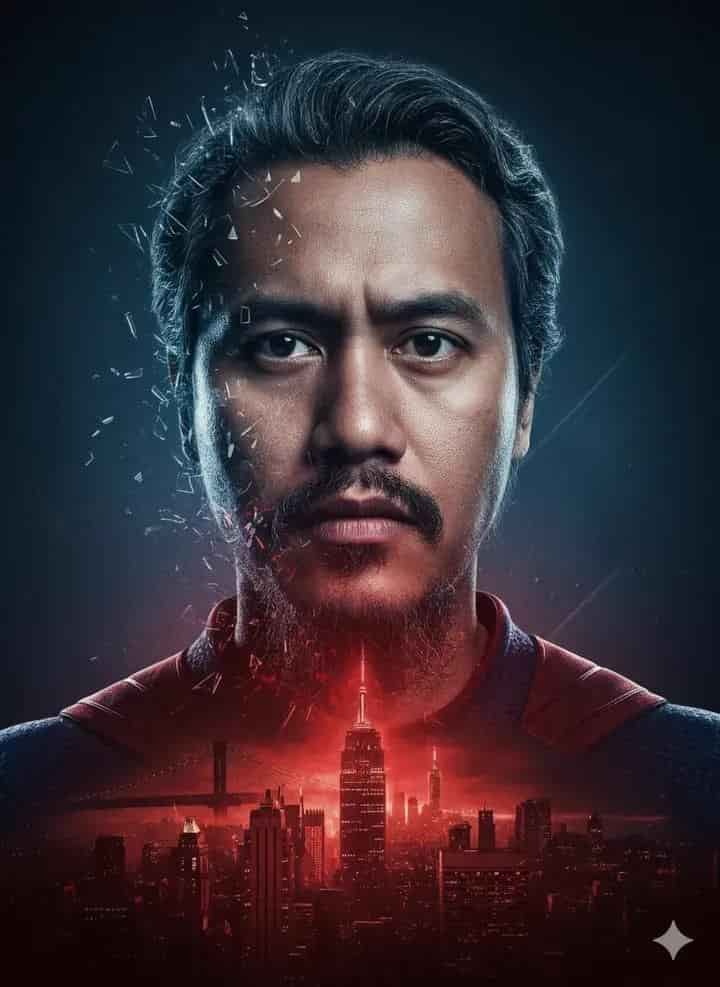
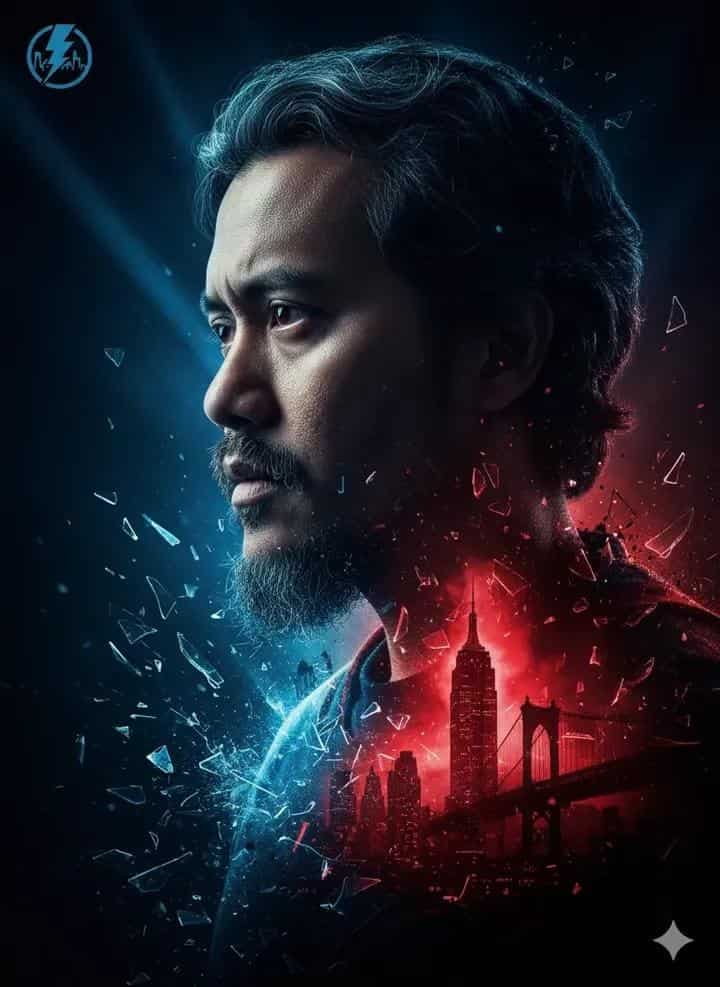
Create a dramatic AI poster of a superhero using a double-exposure effect. The right side of the face is realistic and detailed, while the left side blends into abstract blue tones with shattered glass textures and urban city elements. A glowing red silhouette of skyscrapers, including the Empire State Building, fades into the lower half of the portrait, symbolizing the hero’s bond with the city. Designed in a red and blue color scheme with cinematic lighting, sharp details, and a futuristic poster style.
Generated Images
The Prompt
"A double-exposure style digital poster of a superhero (attached photo) with a determined expression, blending his realistic portrait with an urban cityscape. The right side of his face is shown in lifelike detail, while the left side dissolves into abstract blue tones filled with shattered glass textures and city elements. A glowing red silhouette of skyscrapers, including theEmpire State Building, merges into the lower half of his profile, symbolizing the connection between the hero and the city. High-contrast red and blue color scheme, cinematic lighting, sharp details, modern graphic design aesthetics, futuristic and dramatic poster art.
How to Use
Upload your photo reference for the superhero. The AI will blend the portrait with a cityscape design using a double-exposure effect. Keep the red and blue color scheme for maximum impact, but you can swap the city (e.g., Tokyo, London, Dubai) or change the textures (glass, smoke, fire) for different poster styles.
Prompt Variations
A double-exposure style digital poster of a superhero with a determined expression, blending his realistic portrait with a futuristic cyberpunk cityscape. The right side of his face is shown in lifelike detail, while the left side dissolves into abstract purple and magenta tones filled with holographic advertisements, neon grid lines, and digital rain. A glowing neon pink silhouette of skyscrapers merges into the lower half of his profile. High-contrast purple, magenta, and blue color scheme, cinematic neon lighting, sharp details, modern cyberpunk graphic design aesthetics, futuristic and dramatic poster art.
A double-exposure style digital poster of a superhero with a determined expression, blending his realistic portrait with a 1940s vintage cityscape. The right side of his face is shown in lifelike sepia-toned detail, while the left side dissolves into warm beige tones filled with aged paper textures and vintage architectural elements. A glowing golden orange silhouette of skyscrapers merges into the lower half of his profile. High-contrast sepia, beige, and gold color scheme, dramatic vintage lighting, sharp details, retro graphic design aesthetics, classic and dramatic poster art.
A double-exposure style digital poster of a superhero with a grim, determined expression, blending his realistic portrait with a dark, stormy cityscape. The right side of his face is shown in lifelike high-contrast black and white detail, while the left side dissolves into abstract grey tones filled with rain streaks and lightning bolt textures. A dark charcoal grey silhouette of skyscrapers merges into the lower half of his profile against a turbulent sky. High-contrast black, white, and grey color scheme, dramatic storm lighting, sharp details, modern graphic design aesthetics, gritty and dramatic poster art.
A double-exposure style digital poster of a superhero with a determined expression, blending his realistic portrait with a mystical, emerald-hued cityscape. The right side of his face is shown in lifelike detail with a slight green tint, while the left side dissolves into abstract green tones filled with crystalline shatter textures and organic city elements. A glowing bright green silhouette of skyscrapers merges into the lower half of his profile. High-contrast dark and light green color scheme, cinematic mystical lighting, sharp details, modern graphic design aesthetics, ethereal and dramatic poster art.
A double-exposure style digital poster of a superhero with a determined expression, blending his realistic portrait with a cosmic cityscape under a starry night sky. The right side of his face is shown in lifelike detail, while the left side dissolves into deep blue and purple tones filled with stars, nebulae, and constellations intertwined with city elements. A glowing silver-blue silhouette of skyscrapers merges into the lower half of his profile against a galaxy background. High-contrast blue, purple, and silver color scheme, cinematic cosmic lighting, sharp details, modern graphic design aesthetics, epic and dramatic poster art.
A double-exposure style digital poster of a superhero with a determined, battle-worn expression, blending his realistic portrait with a ruined, burning cityscape. The right side of his face is shown in lifelike detail with firelight highlights, while the left side dissolves into abstract orange and red tones filled with ember particles and cracked concrete textures. A glowing deep red silhouette of collapsed skyscrapers merges into the lower half of his profile. High-contrast red, orange, and black color scheme, cinematic fire lighting, sharp details, modern graphic design aesthetics, apocalyptic and dramatic poster art.
A double-exposure style digital poster of a superhero with a determined, stoic expression, blending his realistic portrait with an icy, frozen cityscape. The right side of his face is shown in lifelike cool-toned detail, while the left side dissolves into abstract pale blue and white tones filled with frost crystals and ice shard textures. A glowing ice-blue silhouette of skyscrapers made of ice merges into the lower half of his profile. High-contrast blue, cyan, and white color scheme, cinematic cold lighting, sharp details, modern graphic design aesthetics, frozen and dramatic poster art.
FAQ
- Can I use any city instead of New York?Yes — the city can be swapped with any skyline. The Empire State Building is just an example to give it that superhero-meets-city feel.
- Do I need to use the double-exposure effect?It’s the core style of the prompt, but you can adjust it — like blending in only the background, or making both sides abstract — depending on how dramatic you want the poster to look.
Related Prompts