Cinematic Black and White Portrait Prompt with Car and Dog
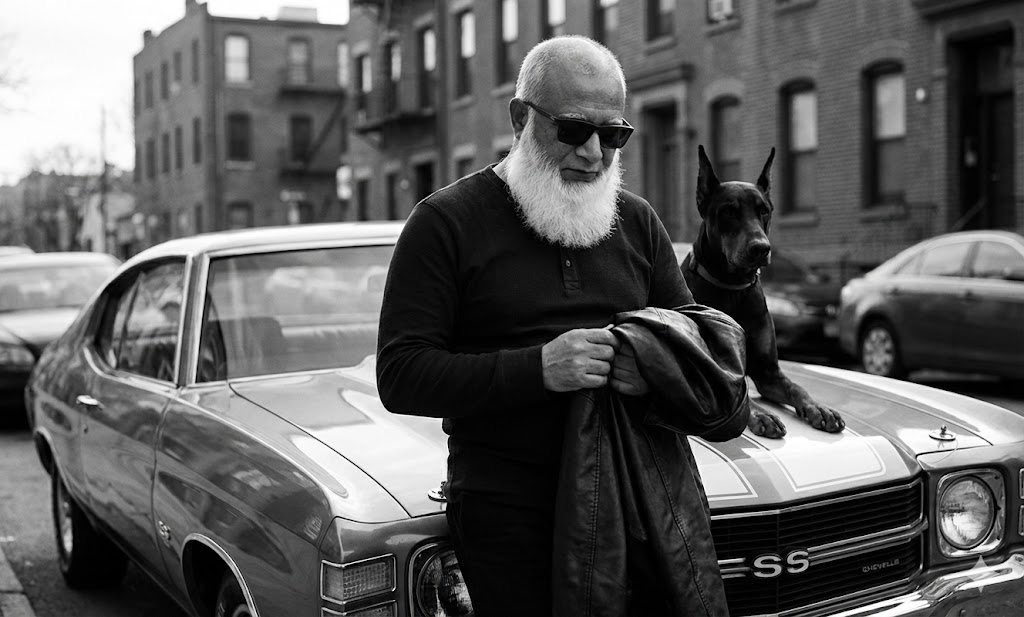
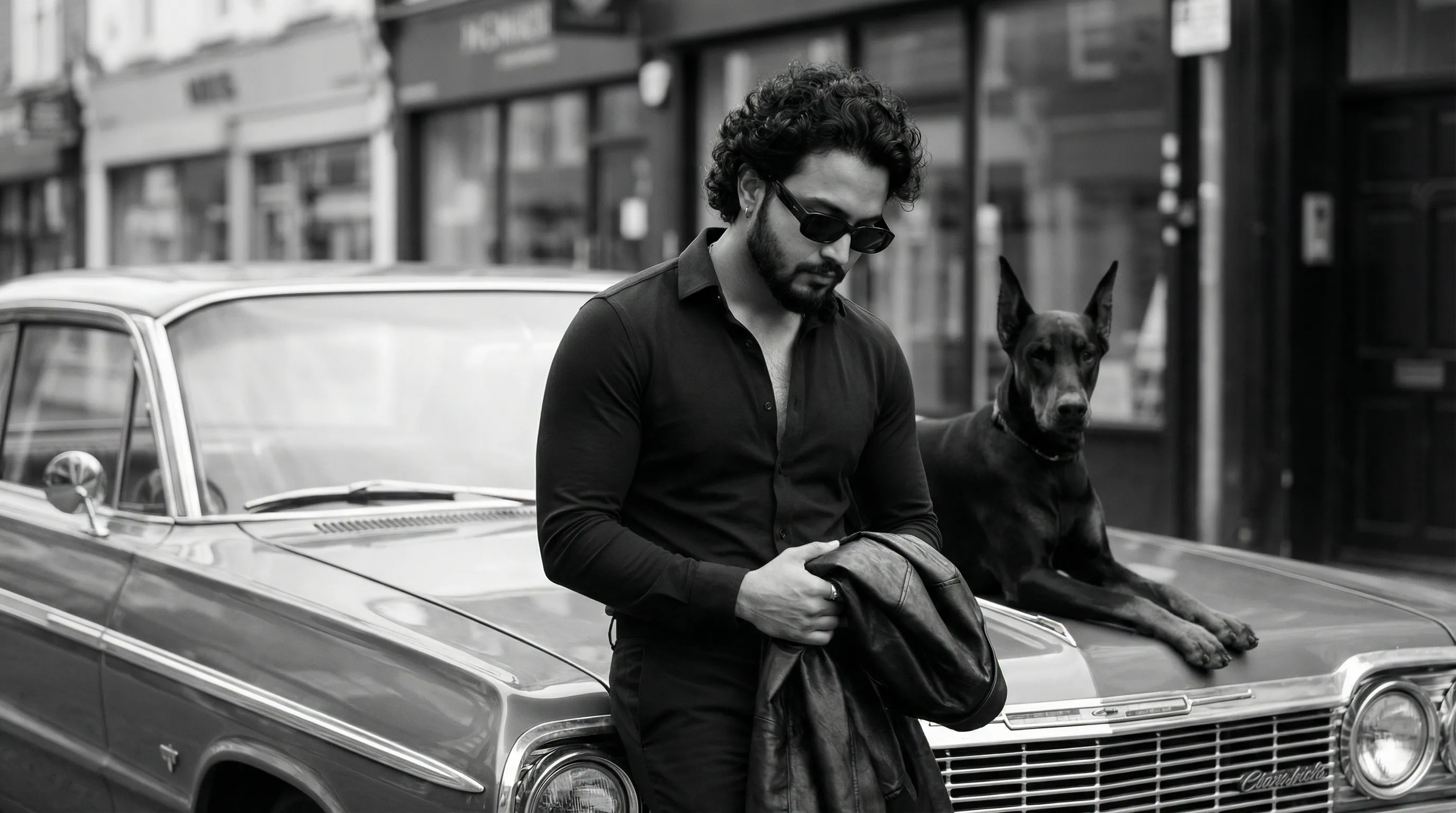
This AI prompt creates an ultra-realistic, professional black-and-white portrait of a person leaning against a vintage car with a Doberman, using specific camera and lighting techniques for a cinematic look.
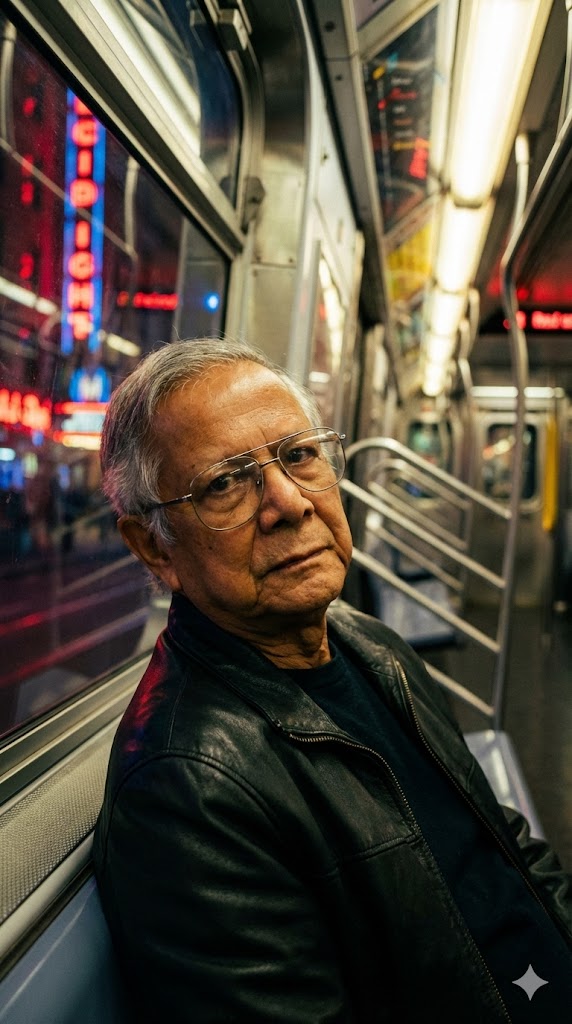
Generated Images
The Prompt
Ultra-realistic cinematic black-and-white portrait of me exact same from the uploaded image leaning against the front left side of a vintage classic car, framed from mid-thigh to head with slight headroom, camera at chest height, medium distance, straight-on perspective with subtle left offset. Subject stands relaxed with weight on one leg, torso slightly angled toward camera left, head gently tilted downward, chin lowered, eyes hidden behind dark rectangular sunglasses, gaze directed toward his hands.Facial expression calm, serious, introspective, neutral lips, light stubble and short neatly styled hair. He wears a fitted dark long-sleeve shirt with a slightly open neckline, holding a folded leather jacket in both hands at waist level. Skin tone: real Indian medium-warm brown with natural warm undertones, visible pores, fine skin texture, micro-details, subtle imperfections, realistic specular highlights and natural shadow falloff, absolutely no smoothing or beauty filtering. Beside him on the car hood to camera right lies a Doberman dog, body parallel to the car, head upright facing forward, ears alert, calm and watchful. Environment: urban street scene with storefront signage and parked cars in the background, rendered softly out of focus. Lighting: natural daylight, directional side light from camera left creating gentle highlights on face, arms, car metal and dog’s contours, soft but defined shadows, moderate contrast, deep blacks, rich midtones. Background blur is smooth and cinematic with shallow depth of field. Shot on IMAX cinema camera look, 85mm lens feel, shallow DOF, sharpest focus on the subject’s eye area behind the sunglasses and facial plane, natural proportions, photorealistic, film-grade monochrome color grading, HDR, high micro-contrast, authentic non-AI cinematic realism.
How to Use
1. Copy the entire prompt text. 2. Paste it into your AI image generator like Midjourney, Stable Diffusion, or DALL·E 3. 3. For best results, use an image of a person as a reference if the tool supports it. 4. Generate the image. You can adjust details like the car model or dog breed to personalize it.
Prompt Variations
1. 1. Golden Hour Warmth Monochrome
For a softer, more nostalgic feel. The lighting is changed to a warm, golden hour sun, which in black and white translates to softer highlights and a more even, gentle tonal range across the scene.
Ultra-realistic cinematic black-and-white portrait of me exact same from the uploaded image leaning against the front left side of a vintage classic car during golden hour. Framed from mid-thigh to head with slight headroom, camera at chest height, straight-on with subtle left offset. Subject stands relaxed, torso angled, head tilted down, eyes hidden behind sunglasses. He holds a folded leather jacket. Beside him on the car hood lies a Doberman, head forward, ears alert. Background has soft storefront signage. Lighting: warm, directional golden hour light from camera left, creating soft highlights, gentle shadows, moderate contrast. Shallow DOF, sharpest focus on subject. Photorealistic, film-grade monochrome, HDR, high micro-contrast, authentic cinematic realism.
2. 2. Night Street with Car Headlights
Ideal for a dramatic, film-noir mood. The scene is set at night, with the primary light source being the vintage car's own headlights, creating a stark, directional beam and deep, moody shadows.
Ultra-realistic cinematic black-and-white portrait of me exact same from the uploaded image leaning against the front left side of a vintage classic car at night. Framed from mid-thigh to head, camera at chest height, straight-on. Subject relaxed, head tilted down, eyes hidden behind sunglasses, holding a folded leather jacket. A Doberman lies on the car hood beside him, alert. Lighting: dramatic, directional light from the car's headlights, creating stark highlights and deep shadows. Urban street background softly out of focus. High contrast, deep blacks, rich midtones. Shallow DOF, sharp focus on subject. Photorealistic, film-grade monochrome, IMAX cinema look, authentic realism.
3. 3. High-Contrast Gritty Texture
Best for an edgy, raw aesthetic. The contrast is pushed higher, and the grain is slightly emphasized to give the image a gritty, documentary-style texture, highlighting every detail of the scene.
Ultra-realistic cinematic black-and-white portrait with high-contrast and gritty texture of me exact same from the uploaded image leaning against a vintage classic car. Framed from mid-thigh to head, camera at chest height. Subject relaxed, head tilted, holding a folded leather jacket. A Doberman lies on the car hood beside him. Background: soft urban street. Lighting: natural daylight, directional side light, but with increased contrast and emphasized film grain. Deep blacks, bright highlights, rich midtones. Shallow DOF, sharp focus on subject. Photorealistic, authentic non-AI cinematic realism, IMAX cinema look.
4. 4. Wider Two-Shot with Dog
For a more balanced composition between man and animal. The frame is widened to include more of the Doberman and the car, creating a classic 'man and his dog' portrait with a cinematic feel.
Ultra-realistic cinematic black-and-white portrait of me exact same from the uploaded image leaning against the front left side of a vintage classic car, framed as a wider two-shot to fully include the Doberman lying on the car hood. Camera slightly further back, chest height. Subject relaxed, head tilted, holding a folded leather jacket. Dog alert and calm. Background: urban street scene softly out of focus. Lighting: natural daylight, directional side light, soft shadows, moderate contrast. Shallow depth of field, sharp focus on subject and dog. Photorealistic, film-grade monochrome, HDR, authentic cinematic realism.
5. 5. Rainy Day Reflection
Perfect for adding atmosphere and complexity. The scene takes place right after a rain shower, with the wet street and car surface reflecting light and the surroundings, adding depth to the monochrome image.
Ultra-realistic cinematic black-and-white portrait of me exact same from the uploaded image leaning against a vintage classic car on a rain-soaked street. Framed from mid-thigh to head, camera at chest height. Subject relaxed, head tilted, holding a folded leather jacket. A Doberman lies on the car hood. Background: wet urban street with soft reflections of signage. Lighting: overcast, diffused daylight with reflections on wet surfaces, soft shadows, moderate contrast. Shallow DOF. Photorealistic, film-grade monochrome, HDR, high micro-contrast, authentic cinematic realism.
6. 6. Profile Contemplation
For a more intimate, artistic angle. The subject is captured in a sharp side profile, looking down at his hands, emphasizing the line of his face, the sunglasses, and the shape of the dog and car.
Ultra-realistic cinematic black-and-white portrait of me exact same from the uploaded image leaning against a vintage classic car, captured in sharp side profile. Subject looks down towards his hands, head gently tilted, holding a folded leather jacket. A Doberman lies on the car hood behind him. Background: urban street softly out of focus. Lighting: natural daylight, side lighting creating a rim light effect, soft shadows, moderate contrast. Shallow DOF, sharp focus on subject's profile. Photorealistic, film-grade monochrome, authentic cinematic realism.
7. 7. Sun-Flare Lens Effect
Great for a dreamy, iconic look. A subtle, artistic lens flare from the sun is introduced near the edge of the frame, adding a classic cinematic touch to the black-and-white composition.
Ultra-realistic cinematic black-and-white portrait of me exact same from the uploaded image leaning against a vintage classic car. Framed from mid-thigh to head, camera at chest height. Subject relaxed, head tilted, holding a folded leather jacket. A Doberman lies on the car hood. Background: soft urban street. Lighting: natural daylight with a subtle, artistic lens flare from camera left, directional highlights, soft shadows, moderate contrast. Shallow DOF. Photorealistic, film-grade monochrome, HDR, authentic cinematic realism, IMAX cinema look.
FAQ
- How do I make an AI portrait look realistic and not fake?Use specific details from this prompt like 'visible pores', 'fine skin texture', 'natural shadow falloff', and 'absolutely no smoothing'. These instructions tell the AI to avoid its default, overly perfect style.
- Can I use this prompt without a reference image?Yes. The prompt is detailed enough to work on its own. The phrase 'exact same from the uploaded image' is for users who have that option; you can ignore it or remove it.
- What does '85mm lens feel' mean in an AI prompt?It tells the AI to mimic the flattering compression and background separation of an 85mm portrait lens, which is a standard technique in professional photography for realistic photos.
Related Prompts