Retro Vintage Saree Portrait in 90s Cinematic Film Style
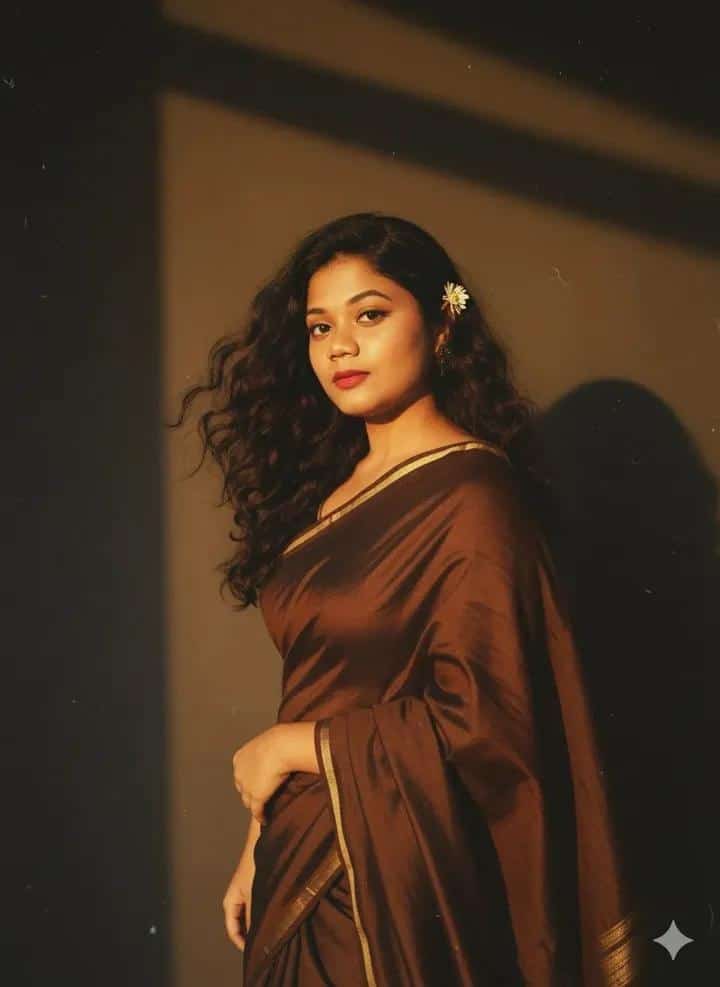
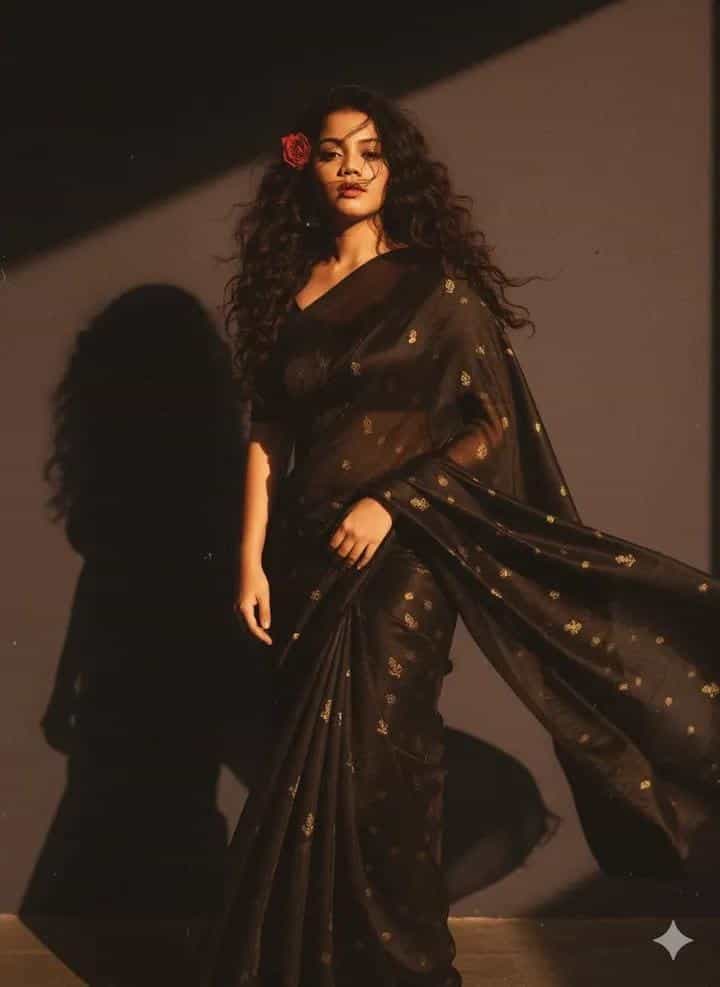
Create a retro, vintage-inspired portrait with a bright yet grainy film aesthetic. This prompt ensures the subject’s face stays true to the reference photo while styling them in a Pinterest-inspired brown retro saree. With 90s movie vibes, red curls, a flower tucked into the hair, and golden-hour lighting against a plain wall, the result feels cinematic, artistic, and romantic with deep dramatic shadows.
Generated Images
The Prompt
Create a retro, vintage-inspired portrait with a grainy yet bright film aesthetic. Use the reference photo as the exact face and identity (do not alter or change facial features). The subject is wearing a perfect Pinterest-style brown retro saree. Style her as a 90s movie red-haired baddie, with a small flower tucked into her curls. She stands against a plain wall, with dramatic deep shadows that add mystery and artistry. The atmosphere should feel cinematic and romantic, with warm golden-hour lighting that casts a soft sunset glow.
How to Use
Replace the reference photo with the image of the person you want to style. Keep the face and features unchanged to maintain identity, but let the AI transform clothing, lighting, and atmosphere. Adjust keywords like “retro saree,” “golden-hour lighting,” or “red-haired baddie” to fit your preferred mood or cultural style.
Prompt Variations
1. 1. Bollywood Silver Screen Spotlight
Best for a classic 90s Bollywood diva look. Shifts lighting to a dramatic stage spotlight with a dark background, enhancing the retro glamour and deep shadows.
Create a retro, vintage-inspired portrait with a grainy film aesthetic. Use the reference photo as the exact face and identity. The subject wears a perfect Pinterest-style brown retro saree with gold borders. Styled as a 90s movie red-haired baddie, a small gajra flower tucked into her curls. She poses against a plain dark grey wall. Dramatic stage spotlight from above creates deep, artistic shadows on her face. The atmosphere is cinematic and glamorous, with warm tungsten lighting casting a rich, golden glow. Shot on film, grainy texture.
2. 2. Moody Monsoon Romance
Ideal for a rainy-day romantic aesthetic. Changes the setting to a window with rain, adding a cool, melancholic filter while keeping the warm subject lighting.
Create a retro, vintage-inspired portrait with a grainy film aesthetic. Use the reference photo as the exact face and identity. The subject wears a perfect brown retro saree. Styled as a 90s movie red-haired baddie, a small white flower tucked into her curls. She stands near a window with rain streaks on the glass, against a plain wall. The lighting is a mix of cool, overcast daylight from outside and warm golden-hour light wrapping around her face. Cinematic, romantic, and melancholic atmosphere. Shot on 35mm film with a soft focus.
3. 3. Vintage Filter Fade
Great for a faded memory or dream sequence effect. Intensifies the film grain, adds light leaks, and desaturates the colors for an aged photograph look.
Create a retro, vintage-inspired portrait with a heavy faded film aesthetic. Use the reference photo as the exact face and identity. The subject wears a brown retro saree. Styled as a 90s movie red-haired baddie, a small flower tucked into her curls. She stands against a plain wall with dramatic shadows. The image has a strong vintage filter effect: light leaks, dust particles, faded colors, and intense film grain. The warm golden-hour lighting is barely visible under the filter, giving a dreamy, nostalgic look.
4. 4. Bold Saturated Color Pop
Perfect for a vibrant, poster-like 90s aesthetic. Increases contrast and saturation, making the red hair and brown saree pop vividly against a neutral wall.
Create a retro, vintage-inspired portrait with a grainy yet ultra-bright and saturated film aesthetic. Use the reference photo as the exact face and identity. The subject wears a brown retro saree. Styled as a 90s movie red-haired baddie, a small flower tucked into her curls. She stands against a plain cream wall. High contrast, vibrant colors with deep shadows and bright highlights. The red hair is fiery, and the saree has a rich, deep brown tone. Warm golden-hour sunlight creates a sharp sunset glow and hard shadows. Shot on Kodak Portra 400.
5. 5. Intimate Profile Close-Up
Best for focusing on expression and styling details. Changes the composition to a tight portrait, focusing on the face, flower, and curls against the plain wall.
Create a retro, vintage-inspired portrait, tight crop on the face. Use the reference photo as the exact face and identity. The subject wears a brown retro saree. Styled as a 90s movie red-haired baddie, a small flower tucked into her curls. She poses against a plain wall. Intimate close-up composition with dramatic deep shadows on one side of her face. The warm golden-hour lighting creates a soft, romantic sunset glow on her skin, highlighting the texture of her hair and the flower. Shallow depth of field, grainy film texture.
6. 6. Full Length Saree Drapery
Ideal for fashion-focused viewers. Pulls back to a full-body shot to showcase the entire saree and posture against the wall.
Create a retro, vintage-inspired full-length portrait with a grainy film aesthetic. Use the reference photo as the exact face and identity. The subject wears a perfect Pinterest-style brown retro saree, draped elegantly. Styled as a 90s movie red-haired baddie, a small flower tucked into her curls. She stands confidently against a plain wall, one hand on her hip. Full body composition showing the saree flow. Dramatic deep shadows on the wall behind her. Cinematic and romantic atmosphere with warm golden-hour lighting casting a soft sunset glow across the entire scene.
7. 7. Neon-Infused Retro
For a modern twist on the 90s theme. Introduces a subtle neon pink or purple rim light to outline the subject against the wall, adding a contemporary edge.
Create a retro, vintage-inspired portrait with a grainy film aesthetic mixed with subtle neon lighting. Use the reference photo as the exact face and identity. The subject wears a brown retro saree. Styled as a 90s movie red-haired baddie, a small flower tucked into her curls. She stands against a plain dark wall. The main light is a warm golden-hour sunset glow from the front, while a subtle neon pink rim light outlines her hair and shoulder from the side. Dramatic deep shadows add mystery. Cinematic, romantic, and slightly futuristic vibe.
FAQ
- Can I use this prompt with any reference photo?Yes, but it works best with clear, high-resolution portraits where the face is visible. The AI keeps the identity intact while transforming style and atmosphere.
- How do I make it look more like an old film photo?Add keywords like “35mm film,” “dusty film grain,” or “vintage Kodak colors” to enhance the retro vibe.
Related Prompts