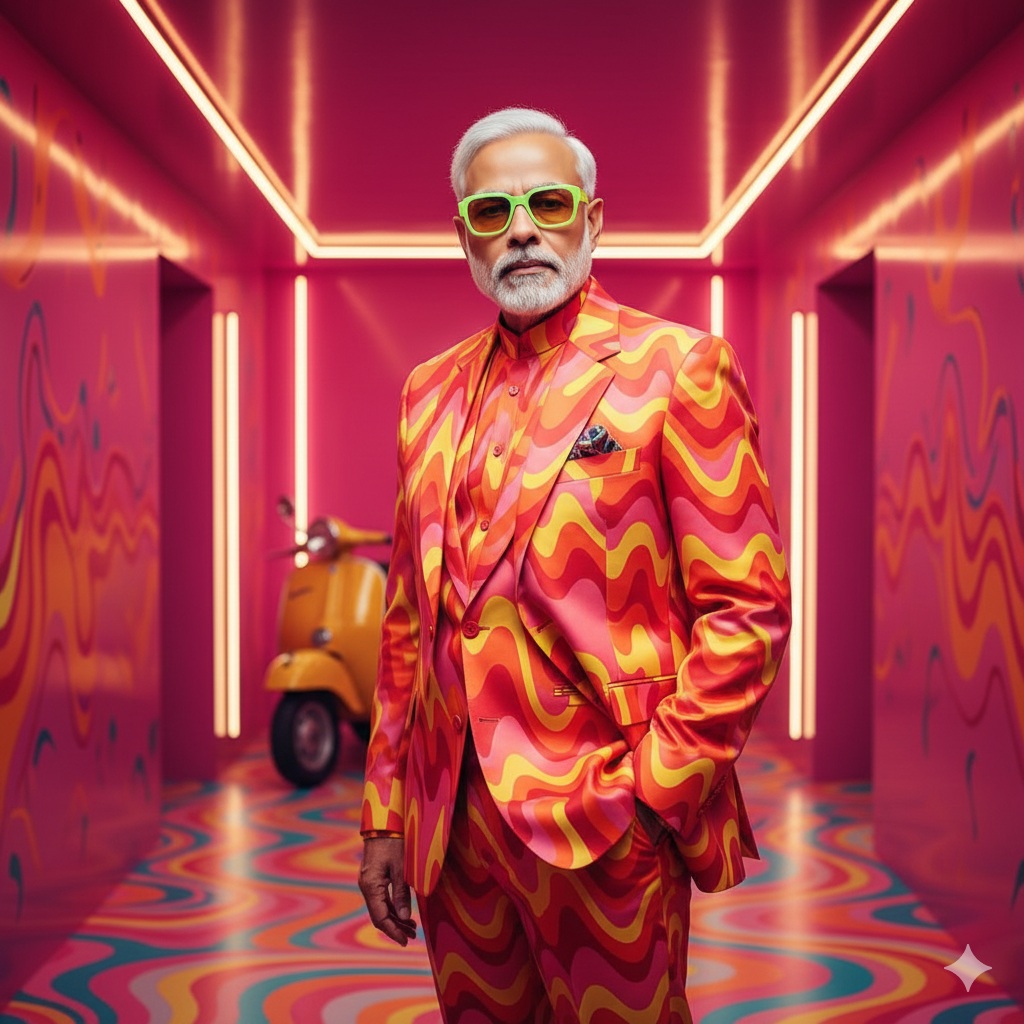
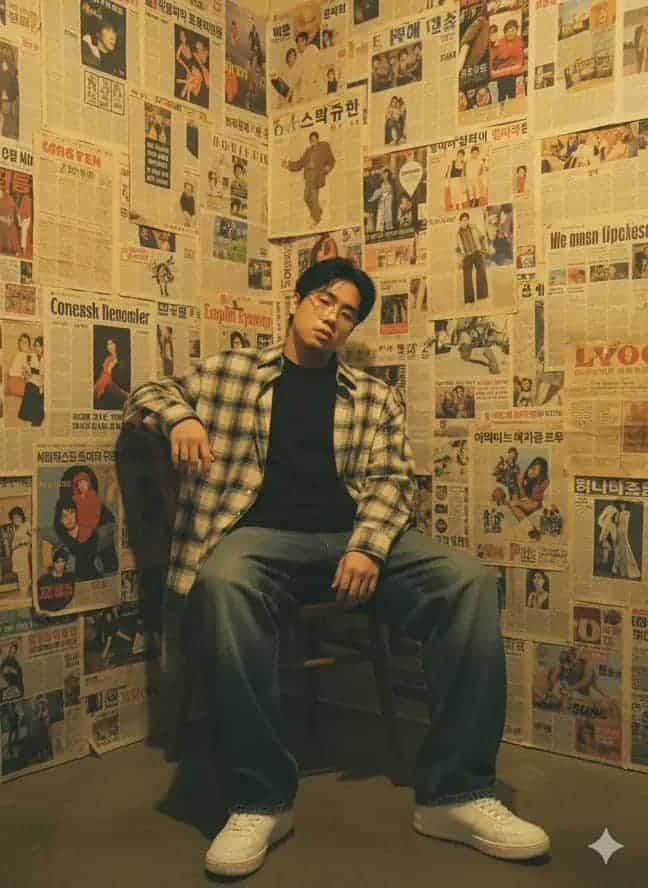
Ultra-Hyperrealistic Automotive Portrait Prompt for AI
This AI prompt creates a detailed, three-panel automotive portrait of a man with a sleek car, designed to generate ultra-realistic, cinematic images perfect for AI art generators.
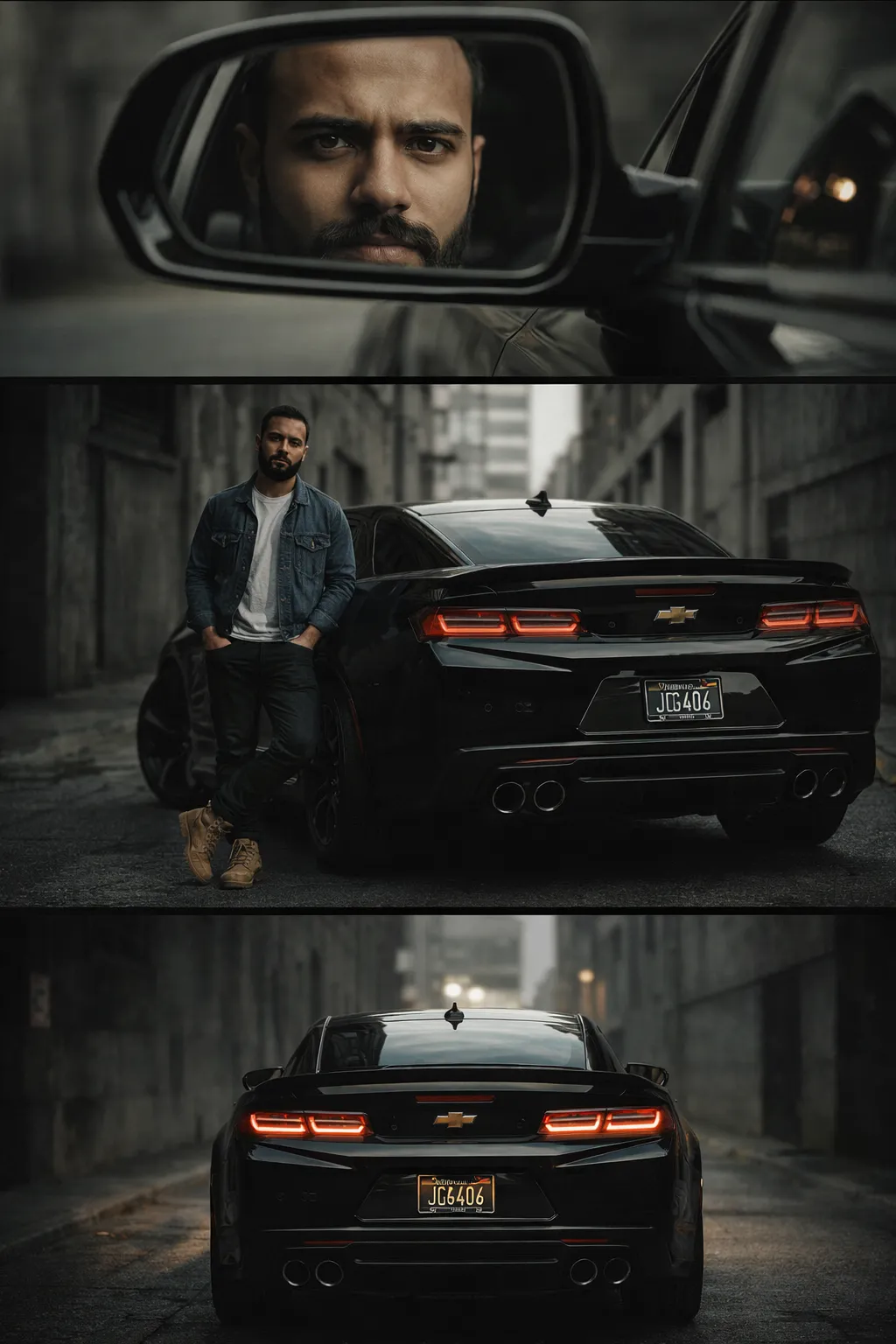
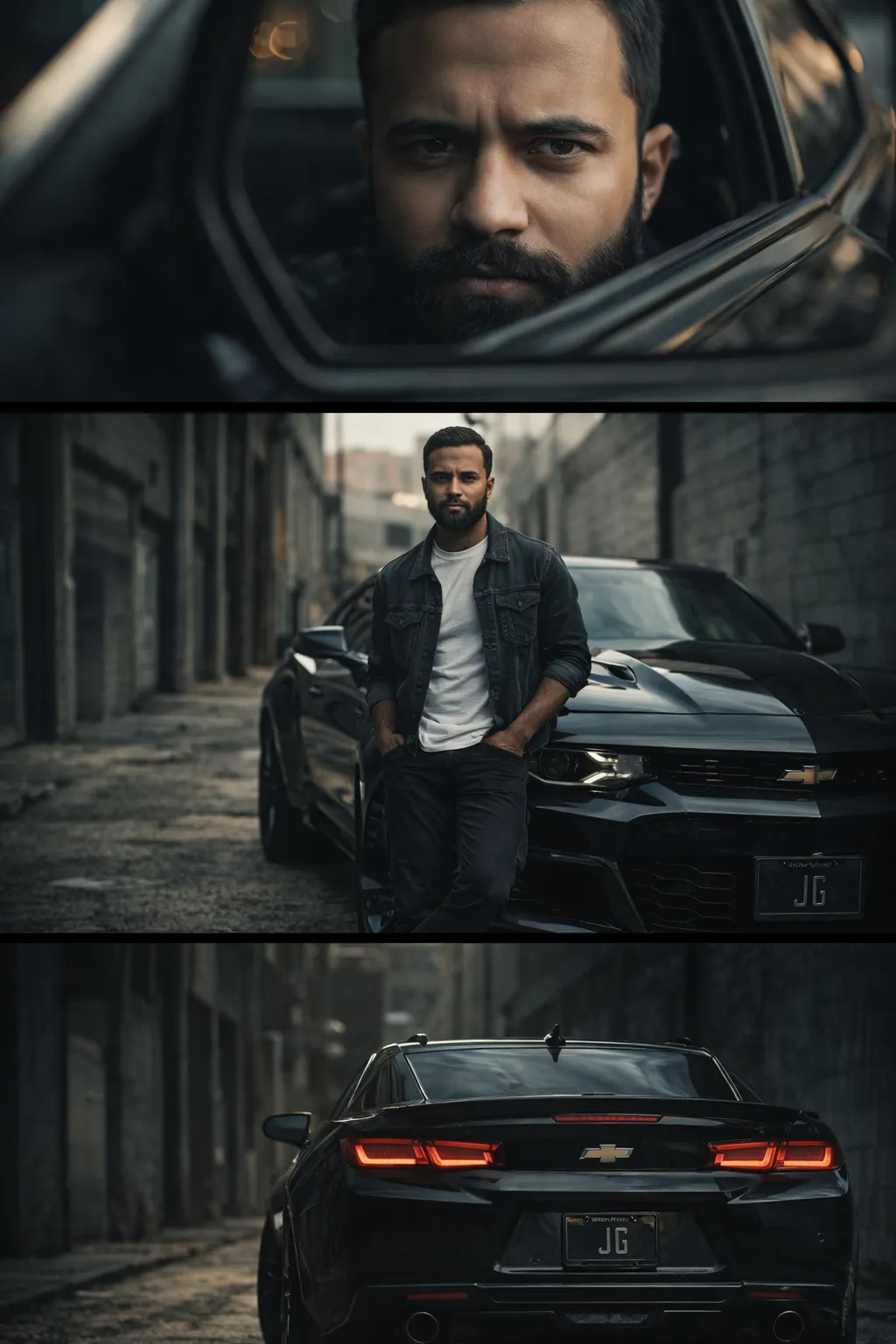
Generated Images
The Prompt
Transform this image [UPLOAD YOUR IMAGE] into a 64K DSLR shot resolution of a ultra-hyperrealistic gritty, cinematic triptych-style portrait featuring a modern urban automotive lifestyle scene. The image is divided into three horizontal frames stacked vertically, each telling a different part of the story.
Top frame: An intense close-up of a man’s face (same face as the uploaded image) reflected in a car’s side mirror.
His expression is focused, calm, and determined. Soft natural light highlights skin texture, subtle stubble, and sharp facial features. The shallow depth of field blurs the background, creating a cinematic, introspective mood.
Middle frame: A full-body shot of the same man leaning casually against a sleek black muscle car (Ferrari–style). He stands confidently in an industrial alleyway surrounded by concrete walls and urban architecture.
Outfit: fitted black graphic t-shirt, slim
gray trousers, brown low-top sneakers. Hands relaxed in pockets, posture confident but effortless. The car’s glossy black paint reflects the surroundings, emphasizing power and elegance. Low-angle perspective adds dominance and strength.
Bottom frame: A dramatic rear shot of the car, taillights glowing softly. A custom license plate is centered, adding authenticity and personality. The alley fades into darkness, with leading lines drawing attention to the vehicle’s aggressive stance
Environment & Mood: Urban, industrial alley, concrete textures, muted tones.
Mood: confidence, ambition, independence, modern masculinity. Atmosphere feels like a high-end automotive editorial or cinematic lifestyle campaign.
Style & Technical Details:-
Ultra-hyperrealistic photography
Cinematic color grading (cool shadows, neutral highlights)
High contrast with controlled blacks
Shallow depth of field
Soft natural lighting mixed with ambient city light
Subtle film grain
Sharp focus on subject, background slightly desaturated
Camera & Quality:
Shot on full-frame DSLR / mirrorless
35mm and 85mm lens combination
Low ISO, crisp details
8K ultra-high resolution
Professional automotive photography, editorial quality. Octane render, Ultra-hyperrealistic & Unreal Engine 5
How to Use
1. Copy the provided prompt text. 2. Open your AI image generator like Midjourney, DALL-E, or Stable Diffusion. 3. If the tool allows, upload a reference photo of a person's face. 4. Paste the prompt into the generator. 5. For best results, specify the aspect ratio (like 3:1 for a wide triptych). 6. Generate the image and use the upscale feature for higher resolution.
Prompt Variations
1. 1. Golden Hour Glow in the Alley
This variation changes the mood by setting the scene during golden hour. The alley is bathed in warm, soft light, which softens the industrial grit and creates a more aspirational, luxurious feel.
Transform this image into a 64K DSLR shot resolution of an ultra-hyperrealistic cinematic triptych-style portrait in an urban alley during golden hour. Top frame: close-up of man's face reflected in a car's side mirror, warm soft natural light. Middle frame: full-body shot of the man leaning against a sleek black muscle car, warm golden light, low-angle perspective. Bottom frame: dramatic rear shot of the car with taillights glowing, alley bathed in warm light. Muted tones replaced with warm, golden tones. Cinematic color grading, high contrast, shallow depth of field, 8K ultra-high resolution, Octane render, Unreal Engine 5
2. 2. Rain-Slicked Noir
This version adds a light rain, making the alley surfaces slick with reflections. The mood becomes darker, more mysterious, and film-noir, with the wet ground mirroring the car's taillights and city lights.
Transform this image into a 64K DSLR shot resolution of an ultra-hyperrealistic gritty, cinematic triptych-style portrait in a rain-slicked industrial alley at night. Top frame: close-up of man's face reflected in a car's side mirror, reflections distorted by rain on the glass. Middle frame: full-body shot of the man leaning against a sleek black muscle car, wet ground reflecting neon signs. Bottom frame: dramatic rear shot of the car, taillights glowing and reflecting on wet asphalt. Dark, noir mood. Cinematic color grading (deep shadows, cool tones), high contrast, shallow depth of field, 8K, Octane render
3. 3. Sun-Bleached Desert Highway
This variation relocates the scene from an alley to a deserted, sun-bleached highway at noon. The mood shifts from urban grit to vast, open-road independence and a sense of freedom.
Transform this image into a 64K DSLR shot resolution of an ultra-hyperrealistic cinematic triptych-style portrait on a sun-bleached desert highway at high noon. Top frame: close-up of man's face reflected in a car's side mirror, harsh sunlight creating strong shadows. Middle frame: full-body shot of the man leaning against a sleek black muscle car, heat haze on the horizon. Bottom frame: dramatic rear shot of the car, license plate centered, endless highway stretching ahead. Color palette bleached, sun-soaked. High contrast, shallow depth of field, 8K, Octane render
4. 4. Neon-Drenched Cyberpunk Alley
This variation amps up the urban energy by filling the alley with vibrant neon signs and reflections. The car's black paint becomes a canvas for neon streaks, creating a futuristic, high-energy vibe.
Transform this image into a 64K DSLR shot resolution of an ultra-hyperrealistic cinematic triptych-style portrait in a neon-drenched cyberpunk alley at night. Top frame: close-up of man's face reflected in a car's side mirror, neon light streaks across his reflection. Middle frame: full-body shot of the man leaning against a sleek black muscle car, neon signs illuminating the scene. Bottom frame: dramatic rear shot of the car, taillights glowing, neon reflections on the car's surface. High contrast, shallow depth of field, 8K, Octane render, Unreal Engine 5
5. 5. Monochrome Editorial Grit
This version strips away all color, presenting the triptych in rich, high-contrast black and white. This emphasizes textures, shadows, and the subject's expression, giving it a timeless, fine-art editorial feel.
Transform this image into a 64K DSLR shot resolution of an ultra-hyperrealistic gritty, cinematic triptych-style portrait in an industrial alley, rendered in stunning high-contrast black and white. Top frame: close-up of man's face reflected in a car's side mirror. Middle frame: full-body shot of the man leaning against a sleek black muscle car. Bottom frame: dramatic rear shot of the car. Focus on textures, skin, and metal. Shallow depth of field, 8K ultra-high resolution, Octane render, fine-art editorial style
6. 6. Dawn Mist and Mystery
This variation sets the scene at dawn, with a light mist or fog hanging in the alley. The light is soft and diffused, creating a mysterious, introspective, and quiet mood, different from the confident energy of the original.
Transform this image into a 64K DSLR shot resolution of an ultra-hyperrealistic cinematic triptych-style portrait in a misty industrial alley at dawn. Top frame: close-up of man's face reflected in a car's side mirror, soft, diffused light. Middle frame: full-body shot of the man leaning against a sleek black muscle car, mist swirling at his feet. Bottom frame: dramatic rear shot of the car, taillights glowing softly through the fog. Muted, cool tones, shallow depth of field, 8K, Octane render, moody and introspective
7. 7. Vintage American Diner Night
This variation relocates the scene to the parking lot of a vintage American diner at night. The backdrop includes neon diner signs and classic cars, adding a nostalgic, Americana feel to the story.
Transform this image into a 64K DSLR shot resolution of an ultra-hyperrealistic cinematic triptych-style portrait in the parking lot of a vintage American diner at night. Top frame: close-up of man's face reflected in a car's side mirror, neon diner sign in the reflection. Middle frame: full-body shot of the man leaning against a sleek black muscle car, diner in the background. Bottom frame: dramatic rear shot of the car, with vintage neon signs glowing behind it. Warm, nostalgic color grading, shallow depth of field, 8K, Octane render, Americana mood
FAQ
- What is a triptych in AI art?A triptych is one image divided into three separate panels, often used to tell a story. This prompt creates a horizontal triptych showing a close-up, a full-body shot, and a car detail shot.
- Can I use this prompt without uploading an image?Yes. Simply remove the first line 'Transform this image [UPLOAD YOUR IMAGE] into...' and the AI will generate a random face that fits the description.
- Which AI image generator works best for this prompt?Midjourney and DALL-E 3 are excellent for understanding complex, descriptive prompts like this one and producing highly realistic results.
Related Prompts